 Dokplane
Your Dokploy control plane, in your pocket.
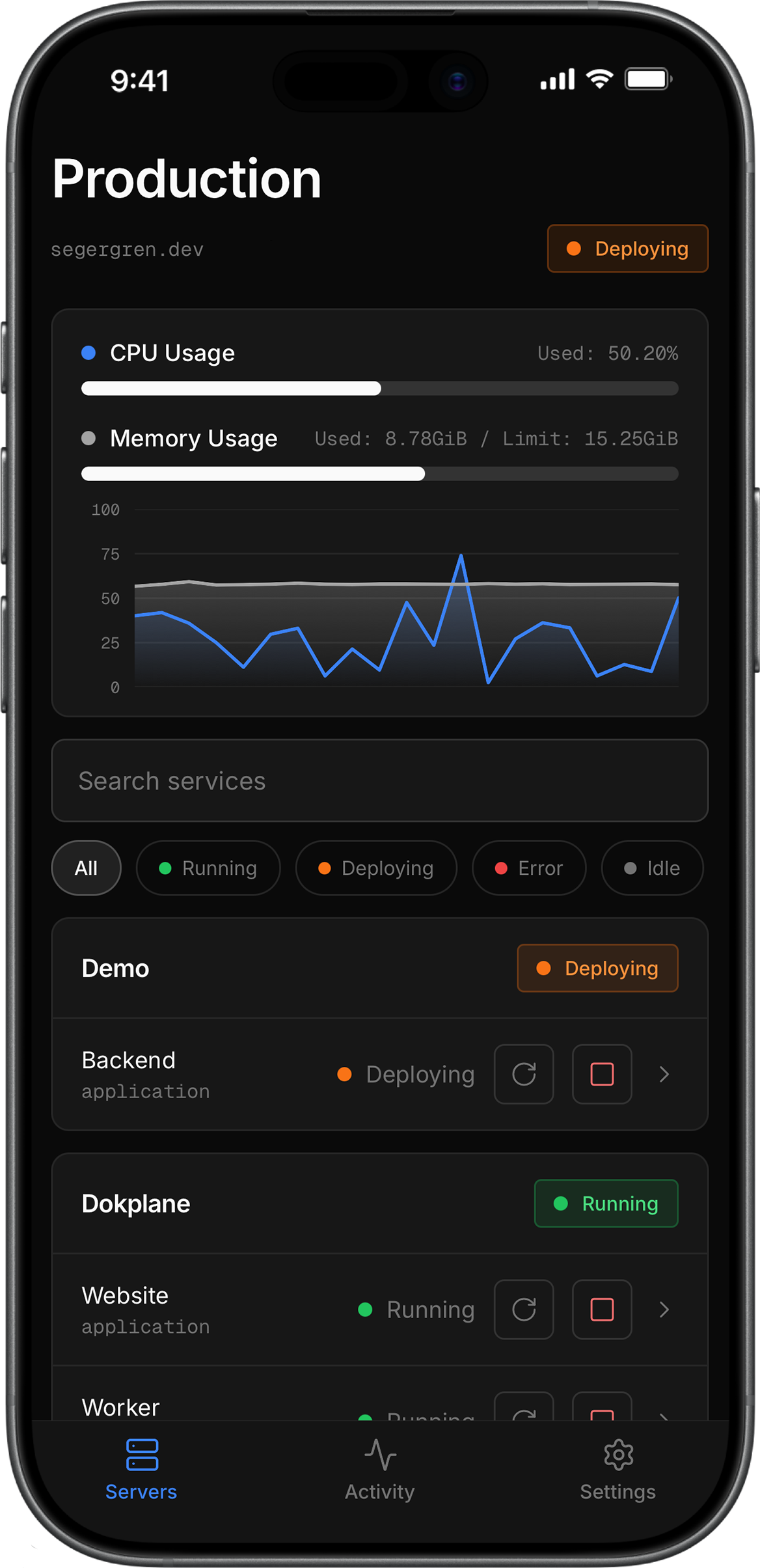
Watch every service, redeploy or restart with one tap, read the logs, and query your databases. A precise, native console for the self-hosted PaaS you already run.

 Coming soon
- Tokens stay on device
- Direct connection
- No middleman servers
Connection
Straight to your server
Credentials
Stored in secure hardware
Platforms
iOS today · Android soon
Works with
The Dokploy API
How it works
Up and running in under a minute.
Connect your server
Paste your server URL and a Dokploy API token. It's sealed into your device's secure hardware, never ours.
See everything, live
Every project, service, deployment and log in one tap, with status you can read in two seconds.
Fix it on the spot
Redeploy, restart or roll back from wherever you are, with live logs streaming in as it happens.
The 2-minute fix
Production breaks at dinner. You fix it before the main course.
The whole point of Dokplane: the gap between “something broke” and “it’s handled” shrinks to the time it takes to pull out your phone.
- 19:42
Something's down
A message lands: the site is erroring. postgres exited on Production.
- 19:42
Open Dokplane
Face ID, straight to the service that went down.
- 19:43
Tap Restart
Container redeploying. Live status and build logs stream in.
- 19:44
Healthy again
Back online in two minutes, before anyone noticed.
Features
Everything you open the web dashboard for, without reaching for a laptop.
Live status, at a glance
Every project and service with a clear running / deploying / error state. Search, filter by status, and pull to refresh. Know in two seconds what’s red.
SQL & Redis consoles
Run queries against Postgres, MySQL, Mongo or Redis, even databases inside a compose stack.
> select count(*) from users;
1 row · 12 ms
One-tap actions
Deploy, restart, rebuild or stop any service, from apps to compose stacks and databases, with a confirm before anything destructive. Fix production before anyone notices.
Deployments, logs & rollback
Browse deployment history, stream live build & runtime logs over WebSocket with follow-tail, and roll back to a known-good deploy in a tap.
✓ Compiled successfully in 892ms
• Generating static pages (6/6)
✓ Deployed web · 4.1s
Your whole fleet
Connect and switch between every Dokploy server you run, from one app.
Production
dokploy.acme.dev
Staging
stg.acme.dev
Edge
eu.acme.dev
Private by design
Your API token lives in your phone’s secure hardware and the app talks directly to your server. It never touches ours, because there isn’t one.
Environment variables
View and edit a service's env, save, and redeploy in place.
Per-service metrics
Live CPU and memory for each container, not just the host.
Scheduled jobs
See a service's cron schedules and run any of them on demand.
Domains
List the domains on an app and open them in your browser.
Database access
Reveal and copy connection host, port, user and password.
Backups
See database and compose backup configs, and run a backup now.
Maintenance
Docker disk usage, one-tap prunes, and Dokploy, Postgres and Traefik health.
Compose viewer
Read the resolved compose file and copy it anywhere.
Activity feed
Every deployment on your server, git pushes included, with tap-through to the build log.
One-tap rollback
Jump back to a previous deployment when one's available.
Light & dark
Follow the system theme, or lock the app to light or dark.
Home-screen widgetsSoon
Server health on your home and lock screen, without opening the app.
Pricing
Free to use. Pro when you run more than one server.
Free
- 1 Dokploy server
- Live status, metrics & search
- Deployment history, live logs & rollback
- Deploy, restart, rebuild, stop
- Edit env vars & run schedules
- Biometric lock with auto-lock
Pro
Recommended- Everything in Free
- Unlimited servers
- SQL editor & Redis console
- Home & Lock-Screen widgetsSoon
Free forever for one server. Pro is an in-app purchase billed by the App Store or Google Play. Cancel anytime.
Is Dokplane free?
Yes. The app is free forever for one server: live status and metrics, live logs, deployment history and rollback, env editing, schedules, and one-tap deploy, restart, rebuild and stop. Pro ($2.99/mo or $24.99/yr) adds unlimited servers, a SQL editor and a Redis console.
Is my data safe?
Your API token is stored in your phone's secure hardware (iOS Keychain / Android Keystore) and protected by biometrics. The app connects directly to your server, and your token is never sent anywhere else. Dokplane has no backend of its own.
Which servers does it work with?
Any server running the Dokploy API. Point Dokplane at your server URL, add a token, and you're in.
Do I need an account?
No. The app is account-less; there's nothing to sign up for. Connect your server and go.
Does it work on iPhone and Android?
Dokplane is built natively for both. It's on the App Store today; the Android version is coming to Google Play soon.
What can I manage from the app?
Most of the day-to-day dashboard: live status and per-service metrics, deployment history and live logs, rollback, environment variables, scheduled jobs, domains, backups, volumes, database credentials with a SQL editor and Redis console, a read-only compose viewer, and Docker cleanup. The Activity tab shows every deployment on your server, git pushes included, plus the deployment queue, with tap-through to the build log.
Get Dokplane
Run Dokploy? Carry it with you.
Free on iOS, with Android coming soon. Connect your first server in under a minute. No account required.
Coming soon